
Fishing Tower Defense - Catch Fish, Build Towers on Roblox
Fishing Tower Defense turns fishing luck into a Roblox defense roster: catch useful units, tune their traits, and place a balanced team before fisherman waves reach the lane.
Related Games
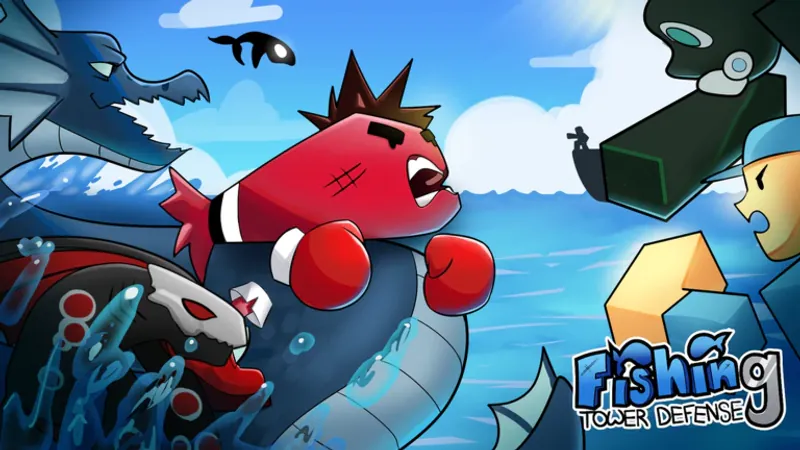
Open the Roblox experience, fish for a strong roster, and send your best catches into defense lanes.
Play Fishing Tower Defense on RobloxA Roblox account and a supported Roblox app or browser launch flow may be required.


















About Fishing Tower Defense
- Category
- Arcade Games
- Developer
- supreme stu
- Release date
- March 23, 2026
Fishing Tower Defense is a Roblox strategy experience from supreme stu, listed under Place ID 73598910647444. Instead of receiving a fixed tower shop, you build the core of your defense by fishing for units and deciding which catches deserve a place in the roster. The fishing phase is about opportunity and judgment. Bait influences the catch pool, traits can change a unit's value, and inventory decisions determine whether you have room for the next promising fish. The defense phase then tests those choices against fisherman waves and human NPC enemies. Use successful runs to fund the next round of preparation, and treat co-op as a coordination challenge as well as a shared adventure. Good wave timing gives teammates time to finish fishing, arrange their units, and reach the lanes together.
How to Play Fishing Tower Defense
Controls
Begin in the water zone with bait equipped, then make catches and compare their rarity, stats, and traits. Keep the fish that give your roster a clear role, and release or sell weak commons when the inventory starts to fill. For defense, think about coverage before chasing a rare pull. Put focused damage where a tough fisherman will linger, use splash units against groups, and add slow or utility effects near corners and choke points. The strongest result usually comes from complementary roles. Credits keep normal upgrades and bait moving, while Diamonds and Premium Dice are better saved for selective premium choices. Friends can fish and defend in the same session, but everyone should be ready before the next wave is started.
Game Features
- Build a defense roster by fishing for your own units.
- Face fisherman waves and human NPC enemies in lane defense.
- Compare catch rarity, stats, and traits before deployment.
- Create balanced teams with damage, splash, slow, and utility roles.
- Use Credits for standard bait and routine upgrades.
- Reserve Diamonds and Premium Dice for selective improvements.
- Adapt the same core loop across desktop and mobile Roblox play.
- Coordinate fishing and wave starts in online co-op.
Fishing Tower Defense Gameplay Videos & Walkthrough Guides
Compare progression runs, a first-look session, and practical update coverage to see how players build rosters and survive waves.
Fishing Tower Defense FAQ
What should I do after spawning?
Equip bait, fish in an active zone, inspect each catch, and keep useful units before visiting the defense lanes. Selling or releasing weak commons early also protects inventory space for stronger catches during longer sessions.
Why do traits matter?
Traits can change a fish's battlefield value, so a well-rolled mid-rarity unit may fit a defense role better than an unhelpful higher-rarity catch. Review traits before spending Premium Dice and reroll only when the role is worth improving.
How should I place units?
Use focused damage for sturdy enemies, splash coverage for groups, and control effects near corners or choke points where waves stay within range. This balanced approach gives the roster answers for both isolated fisherman elites and crowded pushes.
Can I join a session with friends?
Yes, online co-op allows friends to fish and defend together, but the group should coordinate shared preparation and agree before starting each wave. Clear timing prevents one player from entering a lane while another is still sorting catches or bait.
How do I use the Codes control?
Wait for the interface to finish loading, open the bottom-right Codes button, enter an active string, and check your inventory for the resulting reward. Codes can provide useful Diamonds or Trait Rolls, but outdated strings may fail without a visible benefit.